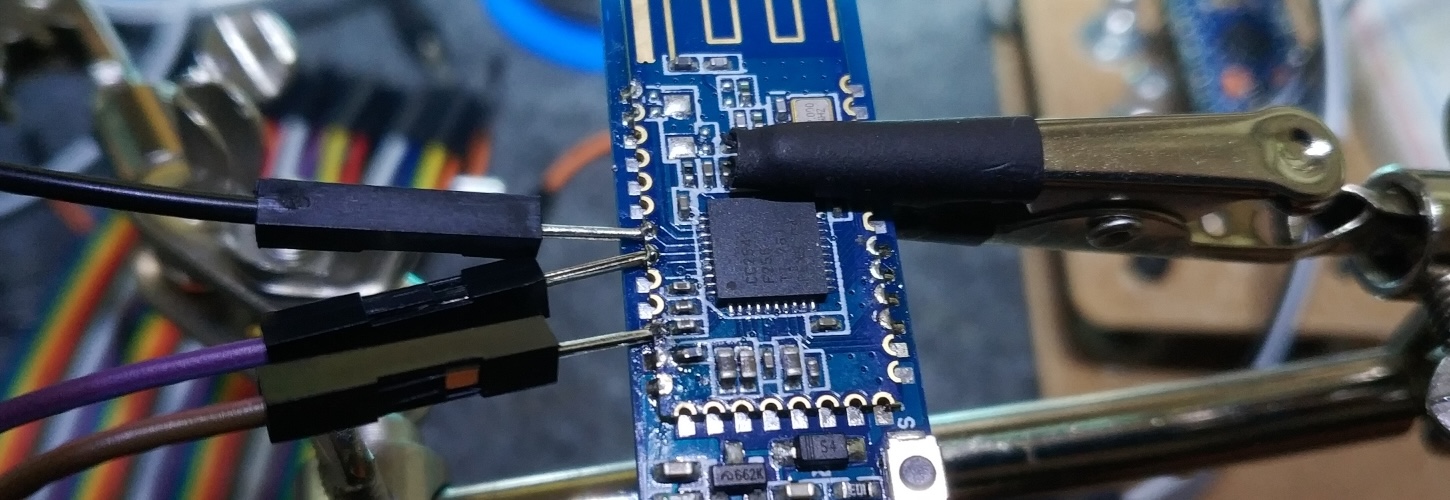
HM-10 flash banner

Flash HM-10 and BT-05 firmware

The HM-10 and BT-05 modules are cheap bluetooth modules that can be used in various situations, like with an Arduino board. But most of the cheap ones use a buggy firmware that make them incompatible with Android 8. There’s a way to fix it though. If you want to know more about the bug, this blog article contains really good information. The whole thing is actually a bit of a mess, because chinese manufacturers or sellers sometime mislabel the products. What’s important here is that the main chip used by your module is from the CC41 family. It’s often the CC2541. ...

April 6, 2019

XD87 TKL keyboard kit – Build log

In a first post, I went through the content of the kit. Taking pictures of all the parts was nice, but assembling the keyboard is even more fun! Again, I took quite a few pictures, I hope it’ll be useful somehow. This is the second article of a 4 articles series: XD87 Kit content XD87 assembly (this article) XD87 firmware/layout customization XD87 firmware extra: QMK instead of TMG Preparing The first is to make sure you have everything you need to assemble the keyboard. Let’s make a quick list of the keyboard parts needed. Make sure you have all you need before beginning, it’s always annoying to start and realize you have something missing and having to wait for it to be delivered. ...

October 18, 2018

XD87 TKL Keyboard kit – how to customize the layout/firmware and flash the keyboard

One of the best feature of the XD87 PCB is that its firmware is fully customizable. Although this might sound complex and probably way too much, customizing the firmware allows you to create your own layout for the keyboard. Let’s dive in. Don’t know what I’m talking about? See this article first. This is the last article of a 4 articles series: XD87 Kit content XD87 assembly XD87 firmware/layout customization (this article) XD87 firmware extra: QMK instead of TMG Note: I’m just providing indications on how to customize and flash the keyboard. That’s how I did it and it worked for me. However, I won’t be responsible for any damage you do to your keyboard. That’s how DIY works, you do whatever you want, the way you want, and you’re accountable for everything you do. ...

September 20, 2018
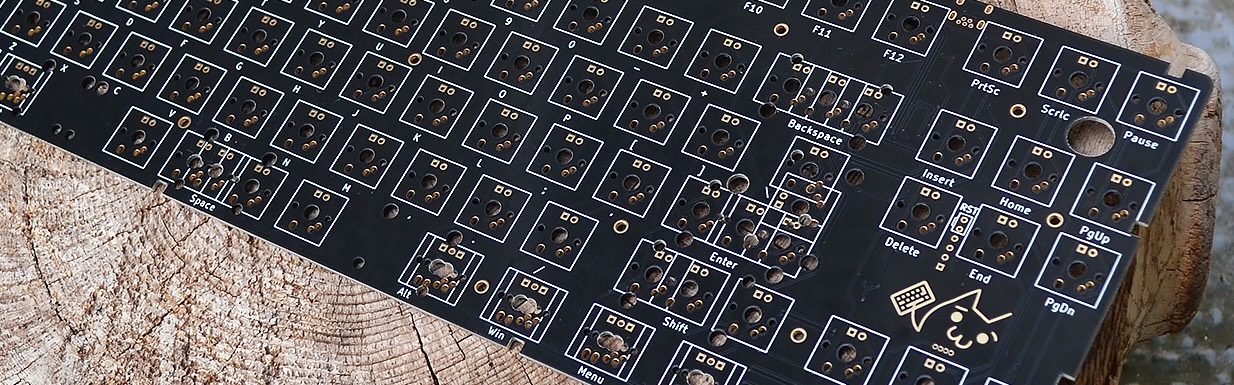
XD87 parts cover

XD87 TKL keyboard kit – Kit content

Time has come for a new keyboard! Now that I know I will always use a mechanical keyboard from now on (the typing feeling ❤), I’ve decided to invest a bit more into something nice, beautiful and customizable. So I bought the new XD87 kit that came out not that long ago. In this first article, I’ll just go through the parts that are included in the kit. I hope you like pictures, because I took quite a few. ...

September 8, 2018

Check an SSL certificate against the server private key and CSR

When working with SSL certificates, it can be handy to check that the certificate you got (.crt file) properly corresponds to the private key (.key file) and the certificate request (.csr file). Just use those commands : openssl x509 -noout -modulus -in certificate.crt | openssl md5 openssl rsa -noout -modulus -in privateKey.key | openssl md5 openssl req -noout -modulus -in CSR.csr | openssl md5 They will output a string composed of numbers. All 3 of them need to be the same in order for your certificate to work properly on your server. ...

May 11, 2017

Secure phpMyAdmin install with Fail2ban

First, let’s change the address to access phpMyAdmin. By Default, it’s ser.ver.ip/phpmyadmin. I’ve copied the original phpmyadmin apache config file so I can customize it as I want, and still have the original one in case mine is broken. sudo cp /etc/phpmyadmin/apache.conf /etc/phpmyadmin/apache-custom.conf At the top of the custom file, change the 3 line Alias /phpmyadmin /usr/share/phpmyadmin to something else, like Alias /phpthisismine /usr/share/phpmyadmin Now, I don’t know how your apache is setup to take into account the phpmyadmin configuration file. On my server, it wasn’t added automatically, so I’ve added it myself in /etc/apache2/apache2.conf. At the bottom, just add Include /etc/phpmyadmin/apache-custom.conf. ...

January 18, 2017

Create your own seedbox with Transmission torrent client

Want a small seedbox on your server ? It’s really not complicated, thanks to Transmission. First step, install it using your OS package manager apt-get install transmission-daemon Then we need to stop the deamon to configure it. /etc/init.d/transmission-daemon stop To edit the configuration file (vi FTW): vi /etc/transmission-daemon/settings.json Here is a list of important values to change. You can find documentation about the configuration file there. /* Username and password so only you can access the web interface */ "rpc-username": "myUsername", /* You can enter the password here, it will be hashed on the first login */ "rpc-password": "my5up3r$C0mplic47edPa$$", /* If you don't want login/pass protection, set that to false */ "rpc-authentification-required": true, /* If you want to find your files easily, better change this one */ "download-dir": "/path/to/the/dir", /* You might want to change this one also */ "incomplete-dir": "/path/to/the/dir", /* Authorize access only to known connections * You can set that to false, especially if you have dynamic IP address */ "rpc-whitelist-enabled": true, /* Add your IP address here if you set previous param to true */ "rpc-whitelist": "127.0.0.1,192.168.1.1", /* -- ports setup -- */ /* access to the web interface */ "rpc-port": 8353, /* peer port */ /* set fixed port */ "peer-port": 6401, /* or set a range */ "peer-port-random-high": 6411, "peer-port-random-low": 6401, "peer-port-random-on-start": true, Configure the firewall so we can actually access the web interface and send/receive packets. Be sure to set it up regarding the ports you entered in your configuration file. ...
April 18, 2015

Android : Use your device to debug your app

Because this should be really easy, but it’s a real PAIN, here are steps you have to go through to use your own device to debug your app. Useless to say that as the emulator is crap very slow, this is really necessary to develop in good conditions. This is for windows, but some steps are the same for each OS. Get you device into developer mode Go to parameters, about the phone/tablet/whatever, tap several times on Build number. This will activate the developer mode. ...

November 9, 2014